
Coupon Templates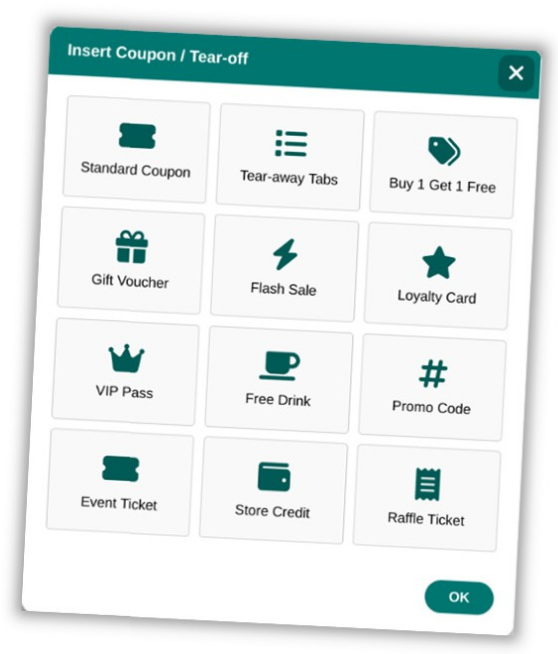
Open Publisher includes a dedicated suite of marketing and promotional tools accessible from the Insert ribbon, all designed to produce print-ready content that renders perfectly in PDF and physical print output. The Coupon insertion tool provides a library of 12 distinct, fully designed templates in a compact 3-column gallery.
Inserting a Coupon
To insert a coupon:
-
Go to Insert > Coupon.
-
The Coupon gallery opens showing all 12 template options.
-
Click a template to insert it onto the canvas.
-
Edit the text, prices, and details by clicking into the text blocks.
Available Templates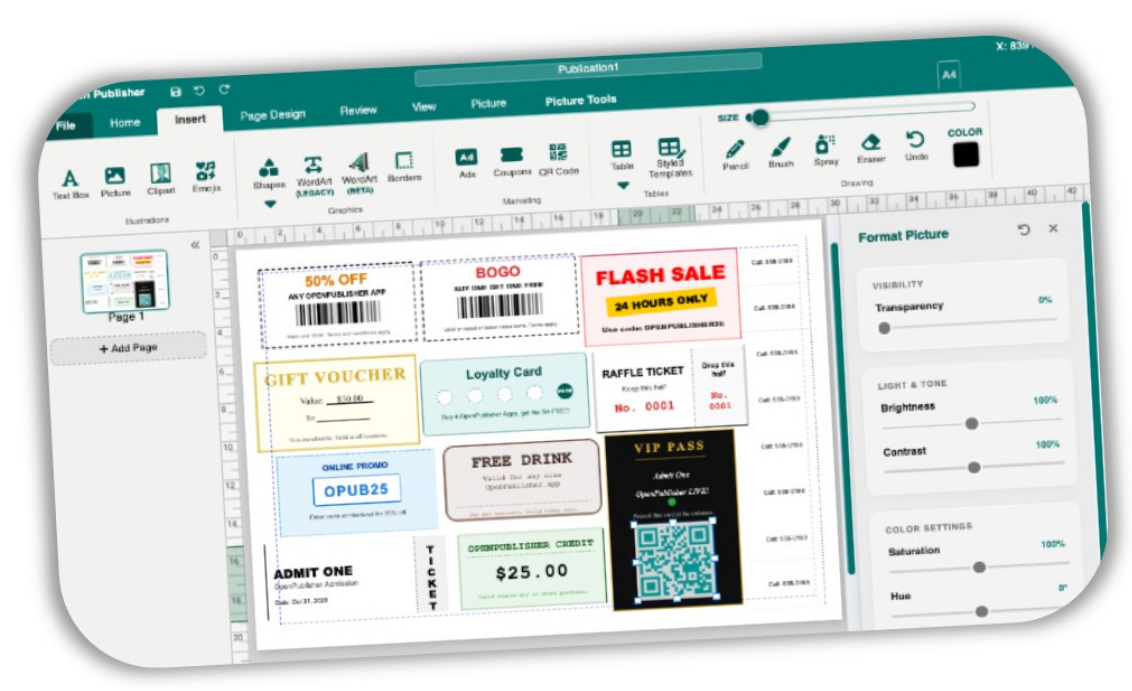
-
Buy 1 Get 1 Free (BOGO) – Uses custom high-density PNG barcode rendering.
-
Gift Voucher – Classic bordered certificate style.
-
Flash Sale – High-contrast, attention-grabbing block for urgent promotions.
-
Loyalty Card – “Buy 4 Get 1 Free” graphical punch card.
-
VIP Pass – Elegant gold and black styling for premium admissions.
-
Free Drink – Warm, coffee-shop aesthetic.
-
Promo Code – Clean blue e-commerce style discount block.
-
Event Ticket – Realistic rotated stub design, engineered with native HTML tables to prevent structural collapse during print rendering.
-
Store Credit – Simple, high-visibility cash value voucher.
-
Raffle Ticket – Split-design ticket with a perforated-style tear-off section.
Barcode Print Safety

All barcode generation in coupon templates bypasses CSS structural layouts entirely. Barcodes are drawn to an off-screen HTML5 Canvas and exported as a single flat PNG, preventing print engines from stripping backgrounds or shifting elements during PDF export.