
Beta WordArt
Beta WordArt generates decorative text as high-fidelity PNG images using a hardware-accelerated Canvas 2D pipeline. The output is pixel-perfect across all browsers, PDFs, and physical prints – what you see on screen is exactly what you get in your exported document.
Inserting Beta WordArt
To insert Beta WordArt:
-
Go to Insert > WordArt (BETA).
-
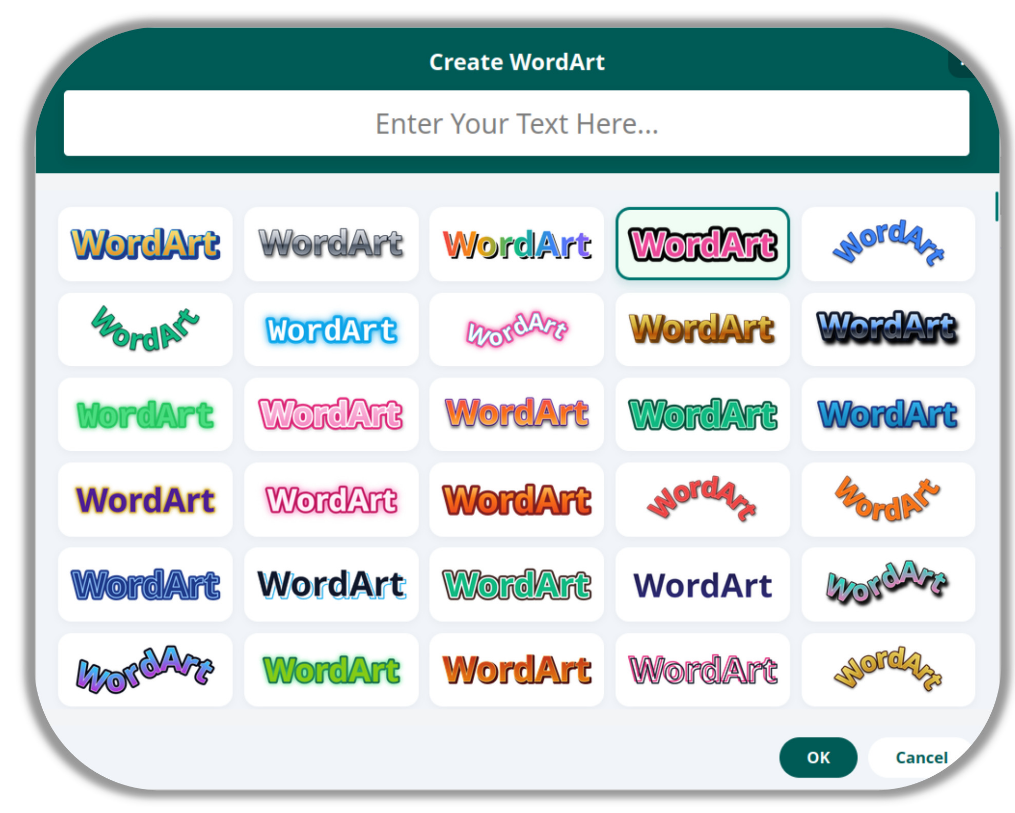
The WordArt Generator modal opens. The grid of 500+ style thumbnails loads instantly – the modal caches its layout so subsequent openings take no time at all
-
Type your text into the input field at the top of the modal.
-
Browse the style gallery. Thumbnails render asynchronously in the background so the modal opens immediately without any delay.
-
Single-click to preview a style. Double-click to confirm your selection and insert.
-
Your WordArt is inserted as a transparent PNG onto the canvas, with a selection box that shrink-wraps precisely around the text and shadow – no oversized bounding boxes.
The Style Library
The style library contains 500+ presets spanning a wide range of creative categories:
-
Classic 90s – Rainbow gradients, 3D blue extrusions, silver chrome, wavy purple.
-
Modern & Minimal – Clean shadows, thin metallic outlines, flat solid fills.
-
Neon & Glow – Neon wireframes, electric glow halos, cyberpunk outlines.
-
Holographic & Iridescent – Glass-like prismatic gradients, holographic foil effects.
-
Vaporwave & Retro – Sunset gradients, synthwave purples, pastel 80s palettes.
-
3D & Depth – Extruded letter stacks, bevelled edges, cast shadow layers.
-
Curved & Arched – Arch Up, Arch Down, Wave, Sine Wave, Zig-Zag, Triangle peak.
-
High Contrast – Bold outlines, caution-tape designs, checkerboard fills.
Curved Text Paths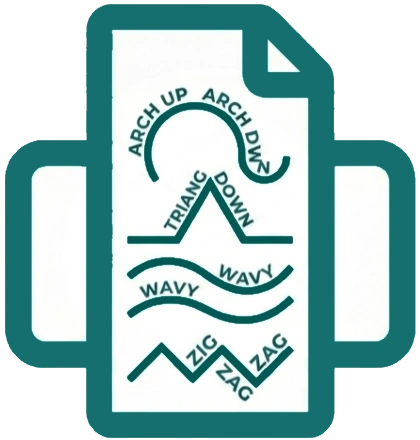
Several Beta WordArt styles use mathematical path rendering to curve your text along a shape:
-
Arch Up – Text curves upward along a circular arc.
-
Arch Down – Text curves downward along a circular arc.
-
Wavy – Characters dynamically tilt with a rolling sine wave.
-
Zig-Zag – Sharp 45-degree triangle wave bounces between letters.
-
Triangle – Text scales upward to a massive central peak.