
What is Open Publisher?
Open Publisher is a WYSIWYG (What You See Is What You Get) desktop publishing application built as a free, open-source alternative to premium tools like Microsoft Publisher. It provides the precision layout tools, rich typography, shape and image manipulation, and comprehensive export capabilities you would expect from a professional suite-with no ads, no subscriptions, and no compromises.
Because it is a true WYSIWYG editor, the document you design on your screen will match your printed or exported output exactly. Every element-text boxes, shapes, images, WordArt-is positioned using absolute coordinates on a fixed-dimension canvas, giving you pixel-perfect control over your layout at all times.
Cross-Platform Availability
Open Publisher is highly versatile and can be accessed exactly how you prefer to work:
- Windows: Available as a standard installer (
.exe) or a self-contained Portable Version that requires no installation. - macOS: Integrates deeply with native macOS conventions, including the menu bar and system UI.
- Linux: Available in
.deb,.rpm, and.AppImageformats for maximum distribution compatibility. - Web: Fully accessible as a Progressive Web App (PWA) directly inside any modern browser-no installation required. It can also be added to your home screen or desktop for offline use.
The Ribbon Interface

Open Publisher uses a familiar tabbed ribbon interface, keeping every tool within easy reach. The ribbon is divided into the following tabs:
- File – Open, save, export, print, and manage document settings.
- Home – Core formatting, clipboard, paragraph alignment, and common export actions.
- Insert – Add text boxes, pictures, shapes, WordArt, tables, page parts, clipart, QR codes, and more.
- Page Design – Manage page size, orientation, margins, colour schemes, backgrounds, borders, and guides.
- Review – Spelling checker, thesaurus, word count, the full Writer’s Analysis Suite, and accessibility auditing.
- View – Zoom controls, rulers, grid, baseline guides, spread mode, scratch area, and colour-blindness proofing.
- Picture (context tab) – Appears when an image is selected; provides recolouring, adjustments, cropping, compression, and arrange tools.
The ribbon also supports a customisable UI theme system with multiple colour presets (Classic Teal, Dark, and others), so the interface itself can be personalised to your taste.
Core Features at a Glance
The platform is designed to handle a wide variety of professional and personal design tasks-like newsletters, flyers, brochures, event posters, menus, and business cards-through a massive suite of built-in tools.
Advanced Typography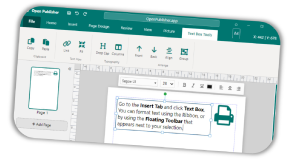
Full font control over every text element, including:
- Font family selection from a rich, searchable font list (including Google Fonts support via web fonts).
- Font size, bold, italic, underline, and colour, accessible both from the ribbon and a floating mini-toolbar that appears on text selection.
- Tab stops with leaders – set custom tab positions with dot, dash, or line leader styles for professional layouts like menus or tables of contents.
- Precise line spacing – control leading with a dedicated line spacing modal.
- Drop caps – apply large decorative first letters to article-style text boxes.
- Vertical alignment – align text to the top, middle, or bottom of its container.
- Auto-hyphenation – automatically hyphenate long words in text boxes to produce cleaner line breaks (configurable in Options).
- Linked text boxes – flow a single body of text across multiple connected boxes, enabling multi-column and multi-page article layouts.
- Paragraph alignment – left, centre, right, and justified alignment, available from both the ribbon and the floating toolbar.
- Special characters & symbols – insert copyright marks, em dashes, bullets, currency symbols, and more via the Symbol picker.
- Dynamic page numbers – insert auto-updating page number tokens directly into any text box.
- Hyperlinks – add or remove hyperlinks on selected text via the right-click context menu.
Shapes & 3D Elements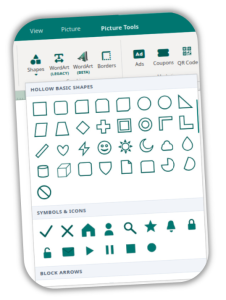
- Over 200 scalable SVG vector shapes organised across multiple categories: standard fills, outlines & symbols, and hollow arrows.
- Shapes support solid, gradient, texture, and pattern fills, as well as custom border colours and weights.
- A full 3D rotation engine lets you tilt and spin any shape element in three-dimensional space via a dedicated rotation modal.
- Shapes can be freely resized, rotated, layered (bring to front / send to back), and grouped with other content.
Image Manipulation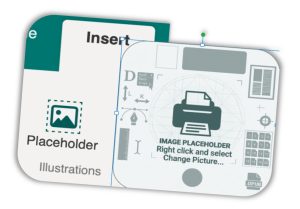
- Drag-and-drop image insertion from your local file system or directly from the clipboard.
- Picture Placeholders – insert a placeholder frame first, then swap in an image later, useful for templating layouts before final assets are ready
- Batch image swapping – replace all instances of one image across a document in a single action.
- Non-destructive cropping – crop images to a rectangular frame while retaining the original data; uncrop at any time.
- Crop-to-shape – crop images to fit inside any of 14 preset shapes (circles, stars, rounded rectangles, and more).
- Image recolouring – apply tints and colour filters to images via the Picture tab.
- Brightness/contrast corrections – make quick tonal adjustments with one click.
- Image compression – compress a selected picture to reduce document file size.
- Smart image loading – images load with a loading indicator and graceful error fallback to keep the canvas stable.
- Graphics Manager – a dedicated sidebar panel (View tab) that gives you a bird’s-eye view of every image in your document, making it easy to locate, replace, or audit visuals across a multi-page project.
- In-canvas drawing on images – use the built-in drawing tools directly on top of a selected picture element for annotations or creative effects.
Tables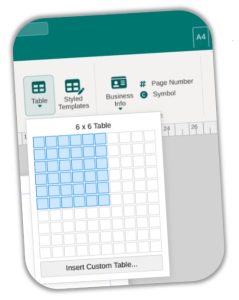
- Insert tables using an interactive grid picker (up to 10×10) or via a custom row/column dialog for larger grids.
- Apply styling using 100 pre-designed table templates.
- Support for multi-cell selection and standard cell content editing.
- Import from spreadsheet – load table data directly from Excel (
.xlsx/.xls) files.
WordArt & Text Effects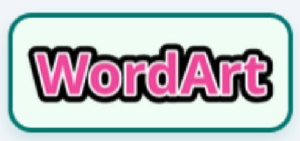
- Legacy WordArt – a gallery of classic text effect presets for quick stylised headings.
- Beta WordArt (Image-Based) – over 60 high-quality WordArt styles, including neon glow, holographic, 3D extrusion, metallic, grunge, and many more. Each style renders as a high-resolution image, making effects achievable that are impossible with CSS alone.
Clipart & Emojis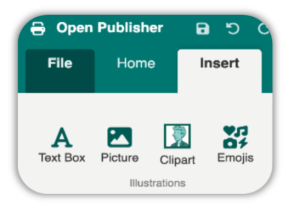
- A built-in gallery of 3,403 high-quality transparent clipart images, categorised and searchable directly inside the app. No internet connection required after the initial load.
- A web clipart panel that pulls in additional clipart from an online source, with a smart image loader and fallback system to handle connectivity issues gracefully.
- An emoji picker for inserting any standard emoji as a scalable canvas element.
Drawing Tools
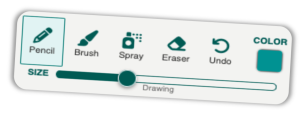
The Insert → Drawing group provides a full freehand drawing canvas directly on your page:
- Pencil – fine, hard-edged strokes.
- Brush – soft, pressure-style brush strokes.
- Spray – airbrush-style spray effect.
- Eraser – remove drawn strokes selectively.
- Adjustable brush size via a slider, and full colour picker integration.
- An undo action for drawing steps.
- Drawing layers are preserved as part of the document’s element stack.
Page Parts Library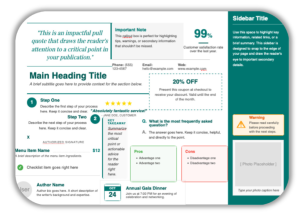
The Page Parts system (Insert tab) provides a library of pre-designed, ready-to-drop structural elements to speed up layout work. Available parts include:
- Sidebar, Pull Quote, Section Heading, Info Callout
- Contact Block, Author Bio, Photo Block (with caption)
- Checklist Item, Numbered Step (Left & Right)
- Tear-Off Coupon, Review Quote (5-star rating), Event Date Block, Menu Item (title + dotted leader + price)
- And more – each previewed visually before insertion.
Marketing & Interactive Elements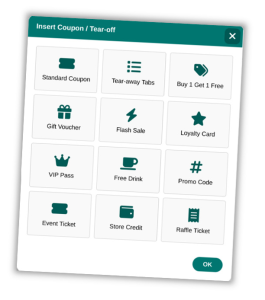
- QR Code Generator – create scannable QR codes that link to any URL and insert them directly onto the page as a scalable element.
- Coupon Builder – generate styled coupon layouts with dashed borders for print-ready promotions.
- Ad Builder – quickly compose advertisement-style blocks.
Business Information System
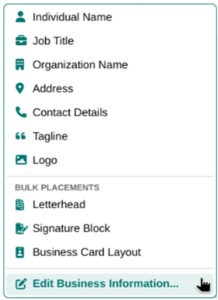
Open Publisher includes a persistent Business Info panel that stores your organisation’s details locally:
- Individual Name, Job Title, Organisation Name, Address, Phone/Fax/Email, Tagline or Motto, and Logo.
- Once saved, any field can be inserted into any text box in a single click from the Business Info dropdown (Insert tab).
- Bulk placement options instantly generate a complete Letterhead, Signature Block, or Business Card layout using your saved details-ideal for maintaining brand consistency across multiple documents.
Themes & Styling
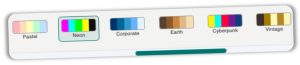
- Apply document-wide colour schemes from a scrollable palette of presets – Classic, Pastel, Neon, Corporate, and many more. Schemes update all matching elements simultaneously.
- Choose from a wide range of background textures and solid fills for the page canvas.
- Insert any of 100 unique, scalable SVG page borders to frame your design.
- Toggle headers and footers on or off from the Design tab for multi-page documents.
- Set custom margins and choose from standard guide presets.
- Snap-to options (grid, guides, objects) ensure accurate alignment when placing elements.
View & Layout Tools
- Zoom controls – 60%, 75%, 100%, 150%, Fit Page, and Fit Width presets, plus keyboard shortcuts.
- Rulers – horizontal and vertical rulers to measure and align elements precisely.
- Grid and baseline guides – toggle on/off for structured layouts.
- Spread Mode – view facing pages (left/right spreads) side by side, as you would in a booklet or magazine layout.
- Scratch Area – a workspace outside the page canvas where you can park elements temporarily while composing your layout.
- Object Boundaries – toggle visible outlines around all elements for layout auditing.
- Paragraph Block Markers (¶) – visualise text block extents across the canvas.
- Colour Blindness Proofing – simulate how your document appears to users with various types of colour vision deficiency, directly in the View tab, to make informed accessibility decisions

The Writer’s Analysis Suite

Available in the Review tab, the Writer’s Suite is a powerful set of text analysis tools aimed at writers and content creators using Open Publisher for newsletters, reports, or editorial layouts. Select any text box and run any of the following analyses:
| Tool | What it does |
|---|---|
| Grade | Calculates the Flesch-Kincaid readability grade level of the selected text. |
| Tone | Detects the dominant emotional tone – Urgent, Enthusiastic, Professional, or Casual – based on keyword frequency. |
| Concise | Identifies wordy phrases and suggests shorter, punchier replacements. |
| Passive | Flags sentences written in passive voice. |
| Echoes | Detects repeated word usage that may make writing feel monotonous. |
| Stats | Reports word count, character count (with and without spaces), sentence count, and paragraph count. |
| Time | Estimates reading time based on an average adult reading speed. |
| Sentiment | Scores the overall positive/negative/neutral sentiment of the text. |
| Keywords | Analyses keyword density for SEO awareness. |
| Jargon | Flags complex or overly technical vocabulary that may not be accessible to a general audience. |
| Cadence | Analyses sentence length variation to reveal whether writing feels rhythmically varied or monotonous. |
The suite also includes a Focus Mode (Environment group) which hides the entire interface and surrounding chrome, leaving only the page canvas visible for distraction-free writing and editing.
The Review tab also provides:
- Spelling checker – real-time spell checking with underline highlighting as you type (configurable in Options).
- Thesaurus – look up synonyms for selected words without leaving the app.
- Word Count – a dedicated word count modal for the current page.
Proofing & Quality Tools
Design Checker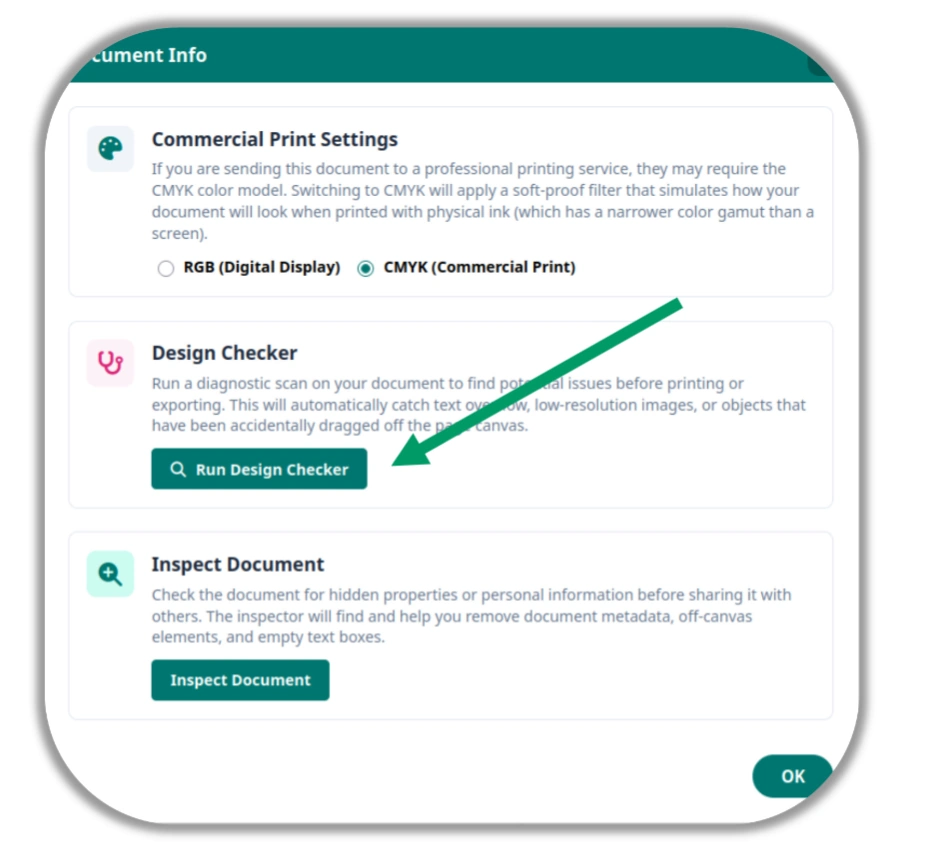
The Design Checker (Review / Proofing) scans your entire document and flags common print-readiness issues, including:
- Text Overflow – text boxes where content is cut off and not fully visible.
- Low-Resolution Images – pictures that have been stretched beyond their native resolution and may look pixelated when printed.
- Off-Page Objects – elements positioned fully or partially outside the page canvas boundary.
Each issue is reported with a description and a button to jump directly to the offending element.
Accessibility Checker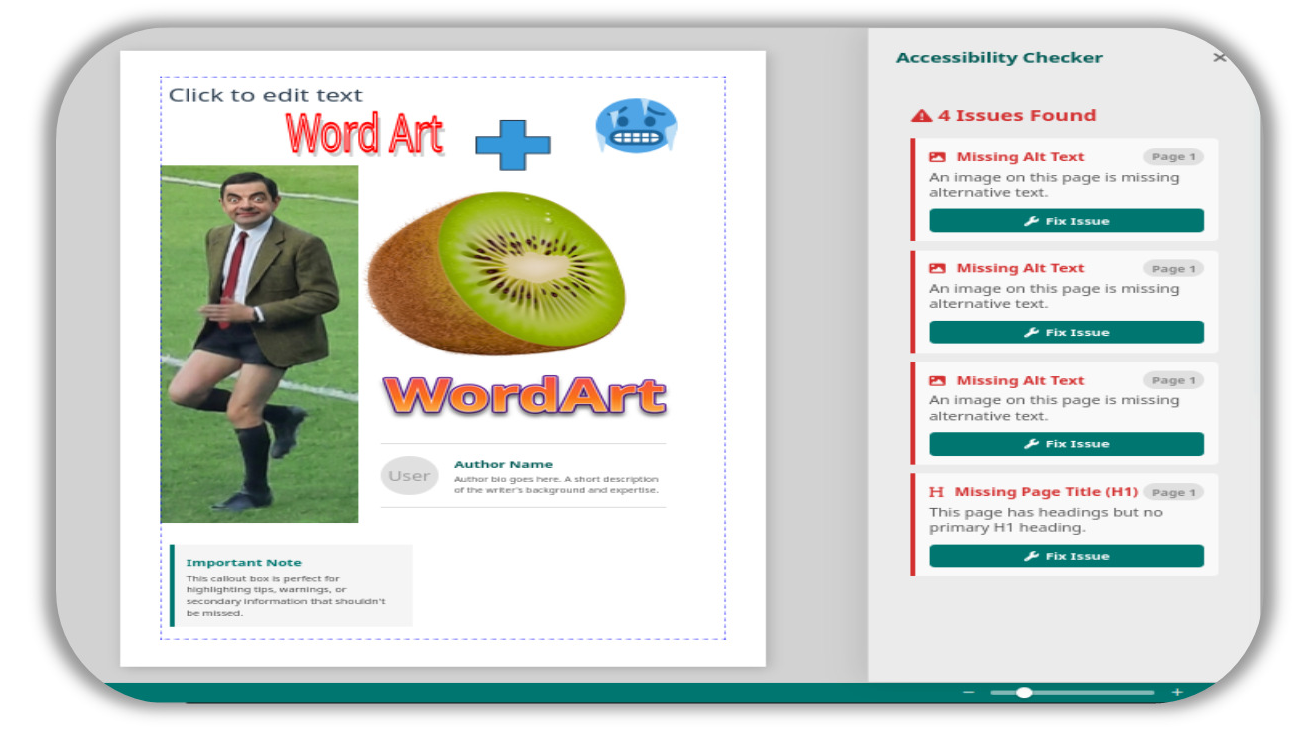
The Accessibility Checker (Review tab) audits your document against core accessibility standards and reports:
- Missing Alt Text – images that lack descriptive alternative text (essential for screen readers and HTML export).
- Low Colour Contrast – text/background combinations that fall below the WCAG minimum 4.5:1 contrast ratio.
- Heading Structure – flags cases where heading levels skip (e.g., jumping from H1 to H3), which breaks assistive technology navigation.
- Missing H1 – pages that lack a primary heading entirely.
Results are shown in a collapsible sidebar panel, and clicking an issue jumps directly to the affected element on the canvas.
Document Security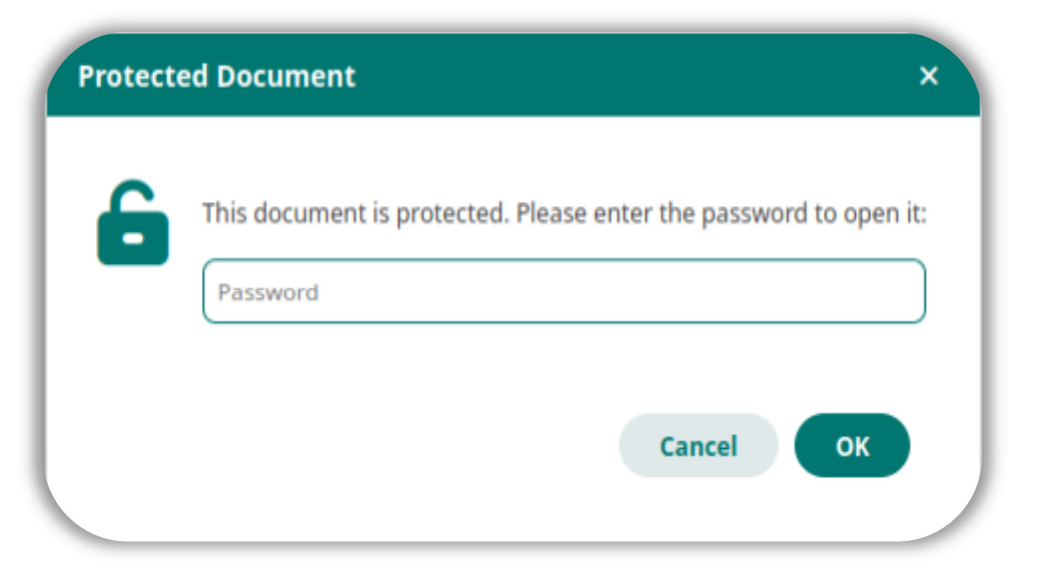
- AES-GCM password encryption – protect your
.opubfiles with industry-standard encryption. A password is required to open the document. - Document Inspector – scrub hidden metadata (author information, revision history) from your file before sharing it.
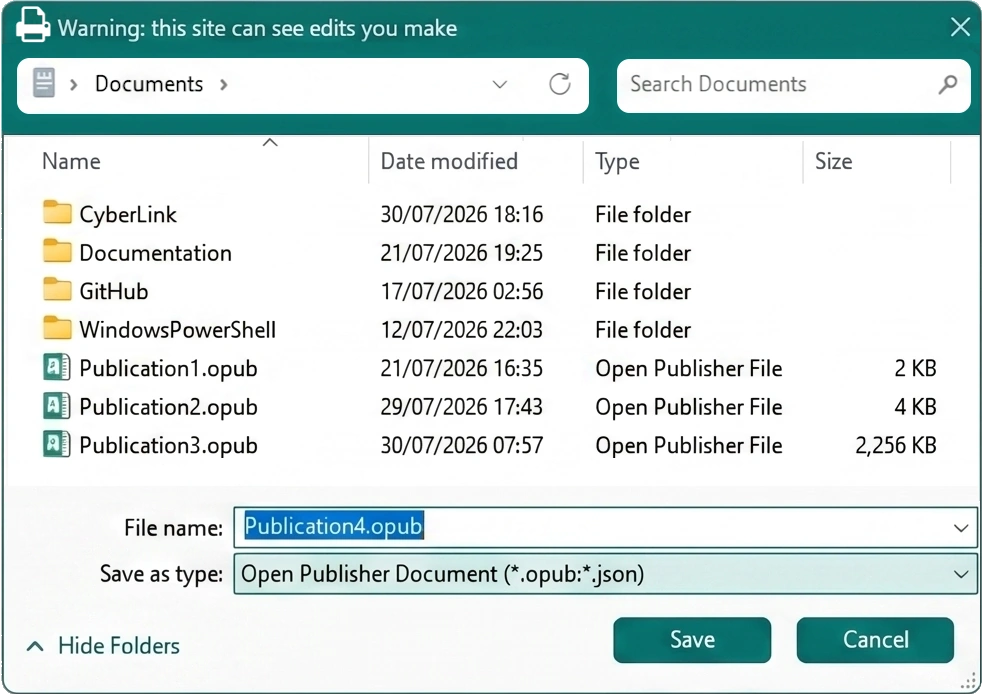
Native Files & Professional Exporting
Projects are saved using the native .opub file format, which stores the full document state including all pages, elements, styles, and embedded images as a structured JSON bundle.
When you are ready to share your work, Open Publisher offers an impressive suite of professional export options:
| Format | Details |
|---|---|
| PDF (High-Resolution) | Renders the canvas at high DPI for crisp print output. |
| Image (PNG/JPEG) | Exports the current page as a raster image at a chosen resolution. |
| XPS | Generates an XPS (XML Paper Specification) document, widely used in Windows print workflows. |
| HTML (Advanced) | Exports a fully self-contained HTML file with granular options (see below). |
Email (.eml) |
Packages the design as an email file that opens directly in your default email client, ready to send. |
| Pack & Go | Creates a ZIP archive containing your .opub file, all extracted images, and a font manifest – the standard handoff package for commercial print shops. |
| Save as Template | Saves the current document as a reusable .opub template for future projects. |
Advanced HTML Export Options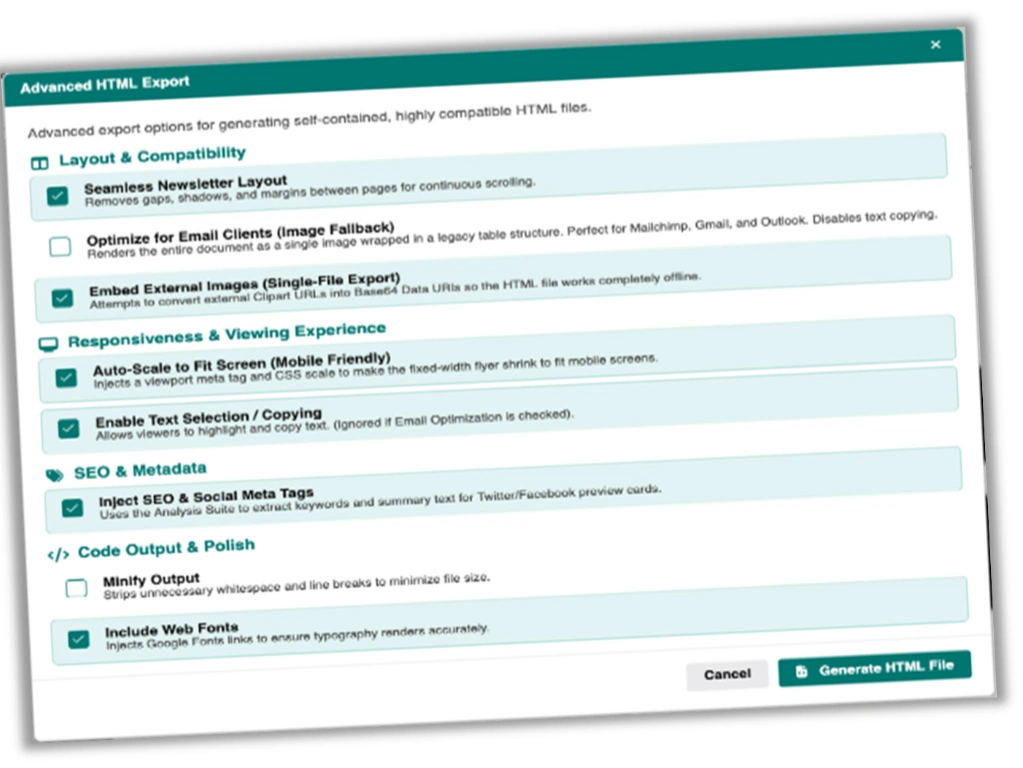
The HTML exporter includes a dedicated options modal with fine-grained control over the output:
- Seamless Newsletter Layout – removes page gaps and shadows for continuous scrolling (ideal for web newsletters).
- Optimise for Email Clients – renders the document as a single image inside a legacy table structure for maximum compatibility with Mailchimp, Gmail, and Outlook.
- Embed External Images – converts external Clipart URLs to Base64 Data URIs, producing a fully offline-capable, single-file HTML document.
- Auto-Scale to Fit Screen – injects a viewport meta tag so fixed-width designs shrink gracefully on mobile screens.
- Enable Text Selection – allow visitors to highlight and copy text from the exported page.
- Inject SEO & Social Meta Tags – uses the Analysis Suite to extract keywords and summary text, and injects them as
<meta>tags for search engine indexing and Twitter/Facebook link preview cards. - Minify Output – strips whitespace from the HTML to reduce file size.
- Include Web Fonts – embeds Google Fonts links so typography renders accurately in any browser.
Application Options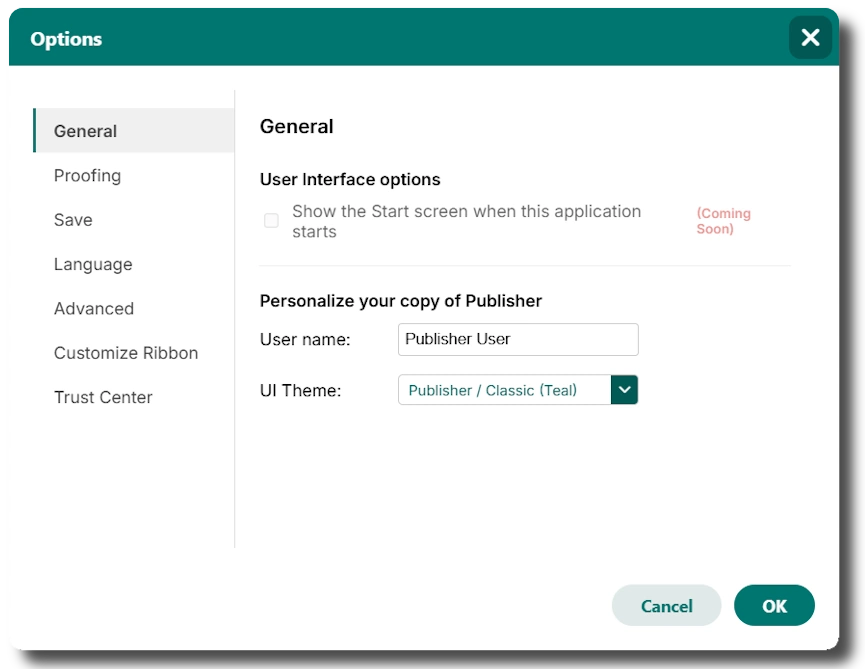
The Options panel (accessible from the File menu) mirrors the familiar settings layout of professional desktop suites:
- General – personalise your username and choose a UI theme.
- Proofing – toggle real-time spell checking.
- Save – configure auto-save behaviour (coming soon).
- Language – set the display language (coming soon).
- Advanced – enable automatic hyphenation in new text boxes.
- Customise Ribbon – configure which ribbon groups are shown (coming soon).
- Trust Centre – security and trusted location settings (coming soon).

Open Source & Privacy
Open Publisher is fully open source and available on GitHub. There is no account system, no telemetry, no tracking, and no data ever leaves your device. All document data is stored locally in your browser’s storage or on your file system. It is free to use, fork, and edit however you want under its open-source licence.