
Spell Check
Open Publisher provides desktop-grade spell check suggestions built directly into the right-click context menu, powered by the LanguageTool API. Corrections are applied instantly with full undo support, so fixing a misspelling is always safe and reversible.
Using Spell Check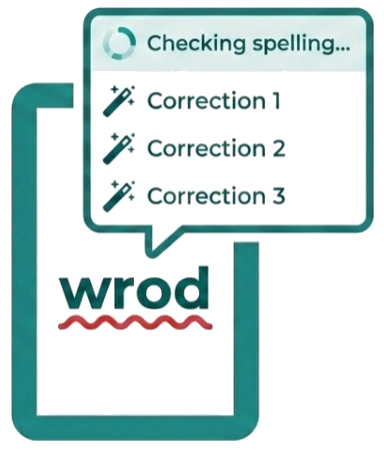
-
Right-click on any word underlined with the browser’s red squiggly spell-check indicator.
-
A “Checking spelling…” spinner appears briefly at the top of the context menu while the LanguageTool API fetches corrections.
-
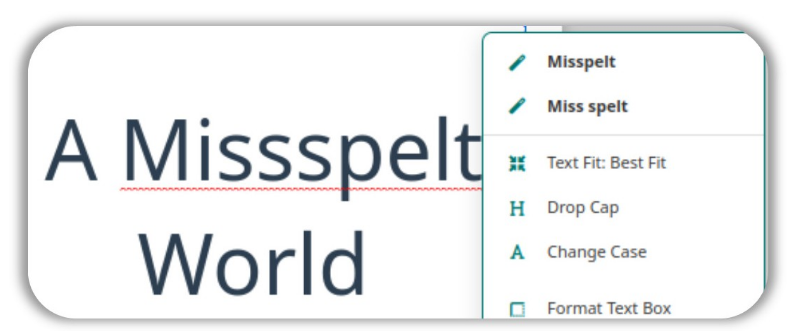
Up to three top spelling suggestions appear in the menu, each marked with a magic wand icon.
-
Click any suggestion to instantly replace the misspelled word, preserving your existing formatting and adding the correction to the undo history.
Bulletproof Word Detection
To reliably identify exactly which word you right-clicked, Open Publisher uses a three-tier detection approach:
-

Tier 1 – Checks whether you explicitly highlighted the word before right-clicking.
-
Tier 2 – Uses the X/Y pixel coordinates of your click to locate the nearest text node on the page.
-
Tier 3 – Falls back to the current cursor (caret) position if the click did not land directly on the text.
This layered approach ensures the correct word is always identified and corrected, regardless of how precisely you clicked.