
CMYK Commercial Print Mode
Professional printing services work in the CMYK colour model (Cyan, Magenta, Yellow, Key/Black) rather than the RGB model used by screens. CMYK has a smaller colour gamut – it cannot reproduce certain vivid neon or electric colours that look brilliant on screen. A design that appears vibrant on your monitor can look noticeably duller when printed with physical ink.
Open Publisher’s CMYK Soft-Proof mode lets you preview exactly how your colours will shift before sending your file to a commercial printer, so there are no surprises when the physical copies arrive.
Enabling CMYK Mode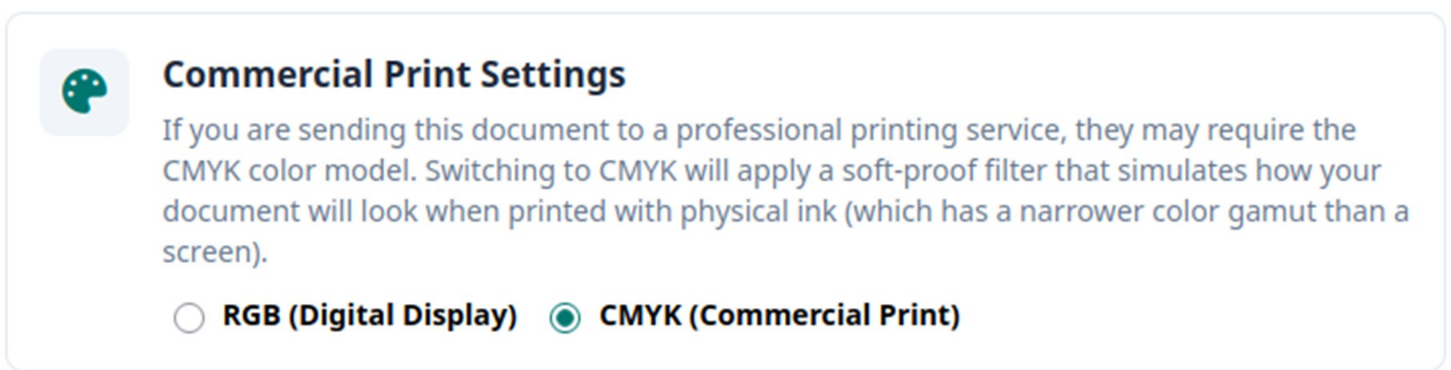
-
Go to File > Info.
-
Find the Colour Mode toggle and switch from RGB to CMYK.
When CMYK mode is active, Open Publisher applies a custom SVG soft-proof filter across the entire canvas. Vivid, out-of-gamut colours – such as neon greens, electric blues, and hot pinks – are intelligently dulled to give you an accurate real-time preview of how the document will look when printed with physical ink.
Switch back to RGB at any time to return to the full screen-accurate colour display. Your selected colour model is saved into the .opub file and persists between sessions.
When to Use It
CMYK mode is most useful when:
-
Designing flyers, brochures, or any document that will be sent to a commercial print shop.
-
Working with bright or vivid brand colours that may not survive the RGB-to-CMYK conversion faithfully.
-
Checking whether a full-bleed background or image will retain its intended appearance in physical print.