
Resizing, Rotating & 3D Effects
Open Publisher gives you precise control over how shapes and text boxes are sized and oriented on the canvas, from simple resize modifiers and flip controls through to a full 3D rotation engine with non-destructive smart object editing.
Resizing Shapes
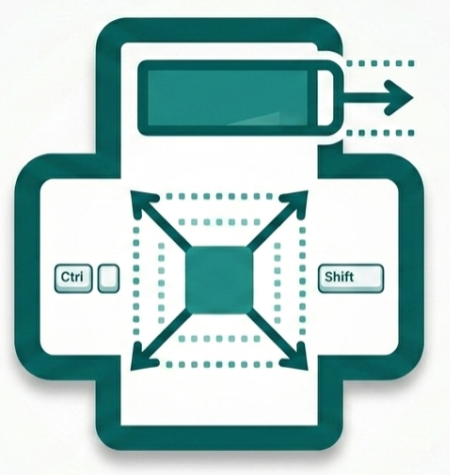
Open Publisher provides several resize modifiers when dragging a shape’s handles:
-
Drag a resize handle – Scales the shape from the opposite edge (standard behaviour).
-
Shift + drag corner handle – Scales proportionally, locking the aspect ratio.
-
Ctrl / Cmd + drag any handle – Scales outward from the exact centre point of the shape.
-
Ctrl / Cmd + Shift + drag corner – Proportionally scales from the centre – the most precise resize modifier available.
Shapes dynamically stretch to fill their bounding boxes in both width and height, giving you complete freedom over proportions for horizontal bars, tall columns, wide banners, and any non-square layout. Borders intelligently recalculate their thickness when stretching to extreme proportions, maintaining a uniform and even border on all sides.
Precise Size Controls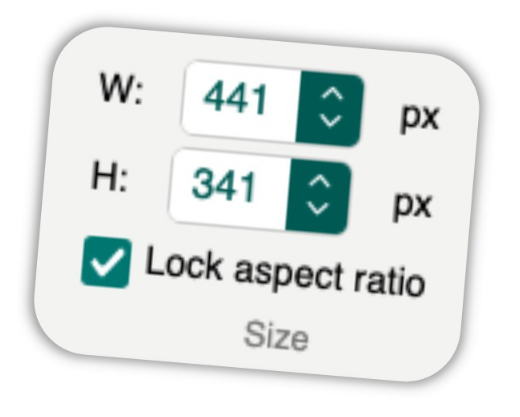
The Drawing Tools contextual ribbon includes a Size group with Width and Height spinners and a Lock Aspect Ratio checkbox – identical to the Picture Tools size controls. Enter exact pixel values for perfectly precise element dimensions.
Rotation & Flipping Controls
The Rotate dropdown in the Arrange group is available on all contextual ribbons (Drawing Tools, Text Box Tools, Picture Tools, and WordArt Tools) and includes the following options: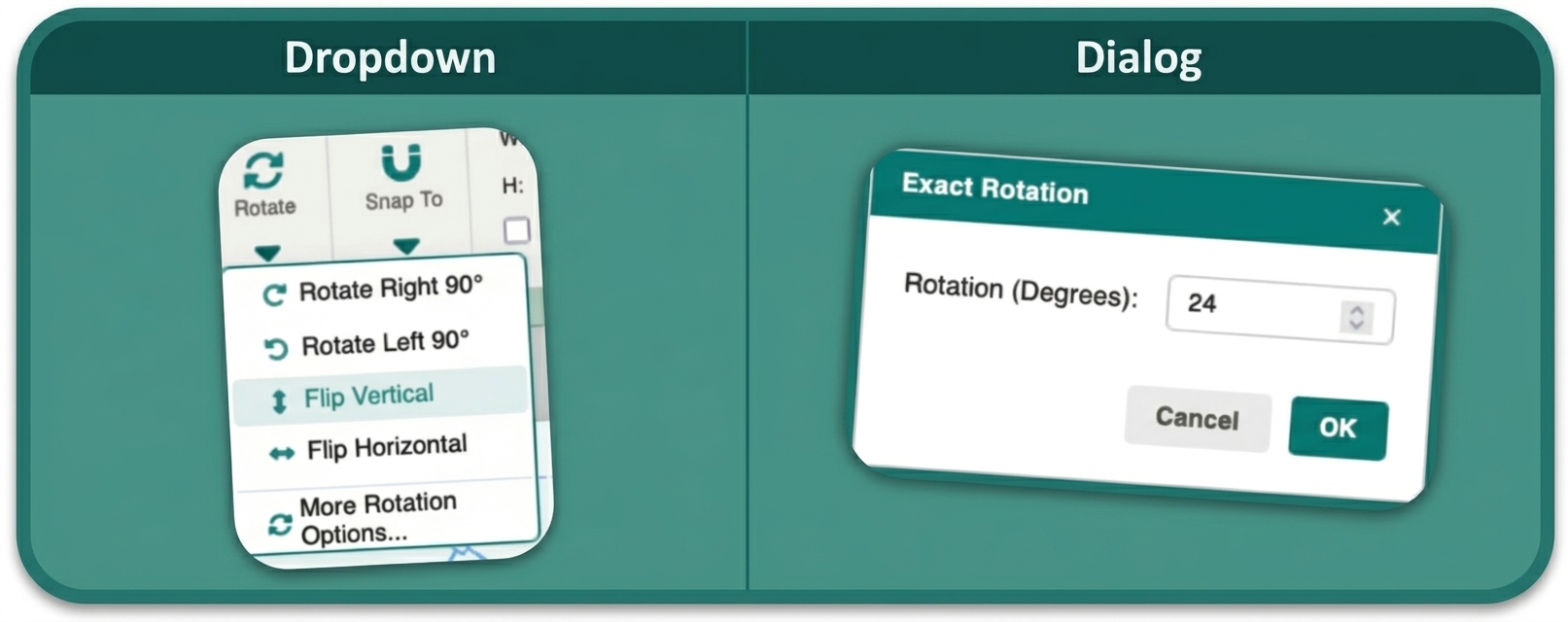
-
Rotate Right 90° – Snaps the element clockwise by 90°.
-
Rotate Left 90° – Snaps the element counter-clockwise by 90°.
-
Flip Horizontal – Mirrors the element left-to-right.
-
Flip Vertical – Mirrors the element top-to-bottom.
-
More Rotation Options… – Opens a numeric dialog where you can type any specific degree value (e.g. 45, -15, 270). Values above 360° are handled correctly.
For freehand rotation, drag the green circular rotation handle that appears above a selected element.
3D Rotation Engine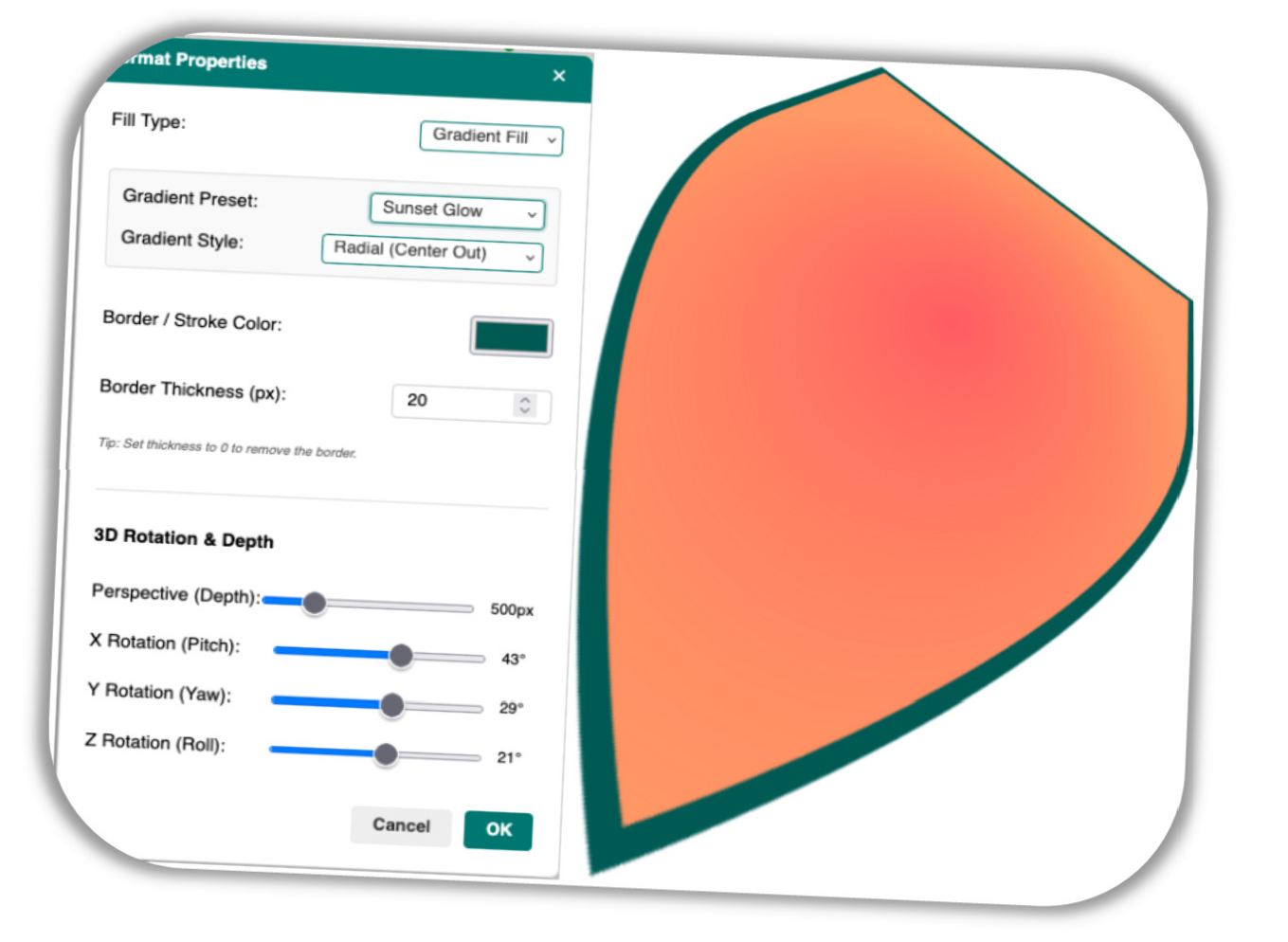
Open Publisher features a full 3D rotation engine for shapes and text boxes. Using the Format Properties dialog, you can rotate elements along the X, Y, and Z axes and adjust the depth perspective to create modern 3D aesthetic effects.
To apply 3D rotation:
-
Double-click a shape, or select it and click Format Properties in the ribbon.
-
Navigate to the 3D Rotation section.
-
Adjust the X, Y, and Z axis sliders and the Perspective depth value.
-
Click OK.
Because browsers cannot reliably print live CSS 3D transforms, the engine automatically flattens the 3D object into a high-quality PNG the moment you click OK. A custom pixel-scanning algorithm tightly crops the baked image around the actual 3D footprint and recalculates the bounding box, so your resize handles perfectly wrap the visual edges of the rotated shape.
Non-Destructive Smart Object Editing
 The flattened PNG stores the original live HTML, CSS, and 3D parameters in a hidden data attribute. Double-clicking the PNG instantly restores the live 3D element and reopens the Format Properties dialog, allowing you to adjust any setting and re-render.
If you click Cancel, the previous PNG is restored from memory – no re-rasterization required. A teal loading spinner appears while the 3D projection and smart-trimming calculations run.